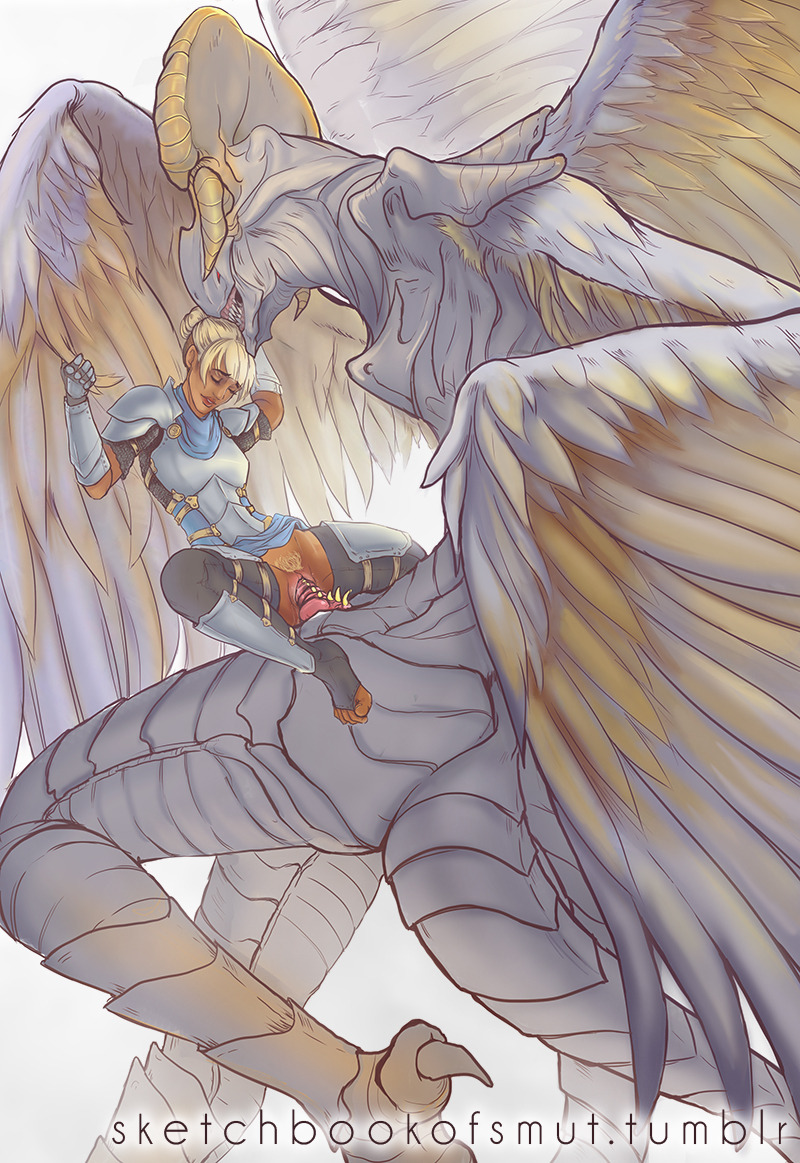
for @centurion0507 who requested an male archangel dragon and princess, and boy did I kind of run with the idea. So meet the newest oc’s: the knight princess Lucille and her angelic dragon Sariyel.
I wanted to do a redraw of my fan fusion moonstone! And I decided to do a little comic with it! 😊😊 this feels like one of the few scenarios in which pearl and lapis would fuse, if there were no other gems to help, and Steven was in danger, because they would both do anything for Steven 😊💕 and it would be the goal of making sure Stevens safe that would make moonstone stable! Otherwise I feel like she would kind of fall apart..she’d be a pretty depressed gem because of all pearls and lapis’s past truama 😅 but she would move heaven and earth to protect Steven! 😆💕 so I hope u enjoy it! 😊
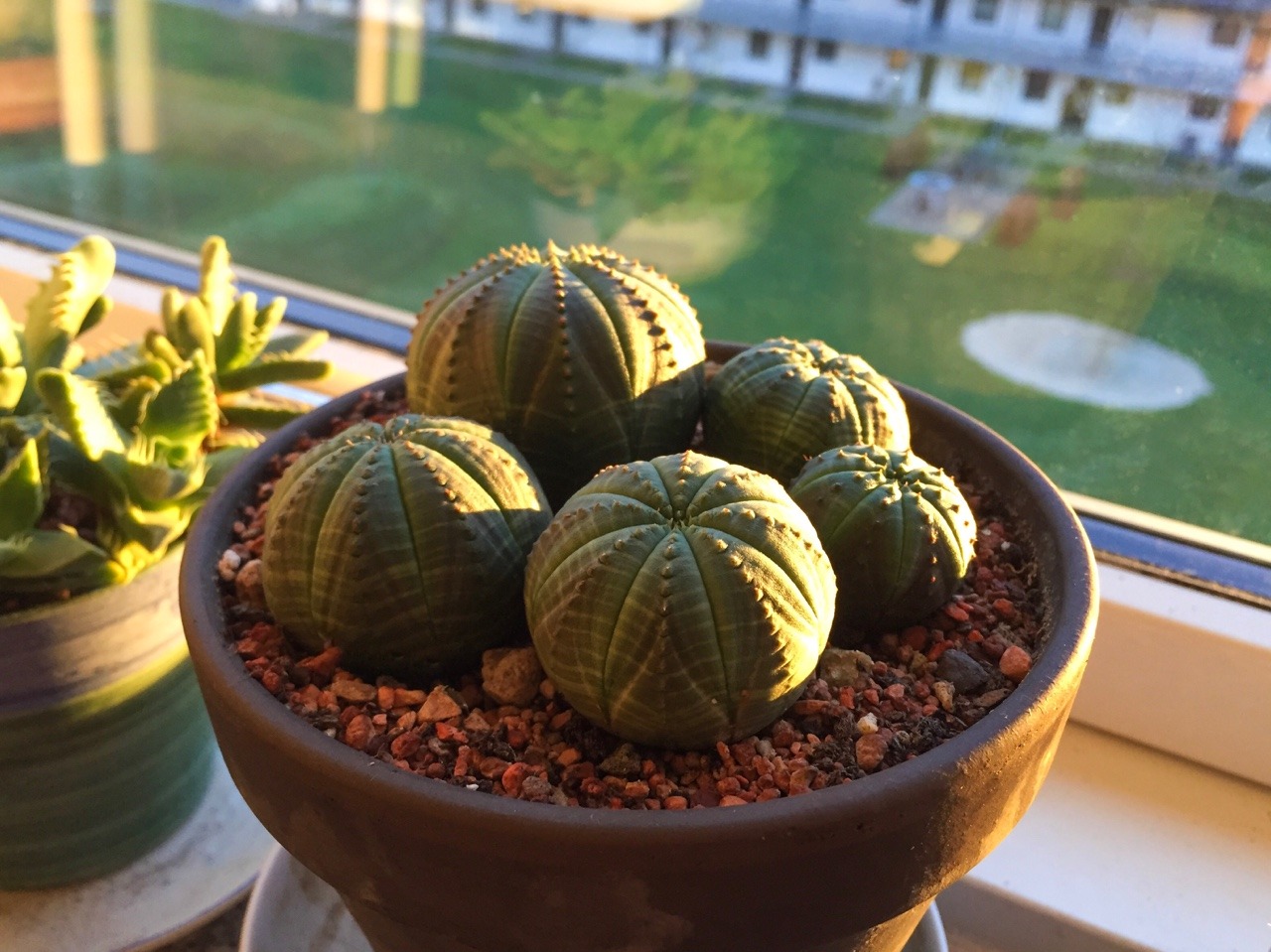
My third sunset photo. This time, my now huge Euphorbia seedlings. Most of them are now touching, but I think I need another type of planter to prevent this from happening. Maybe I’ll just let them grow this way and see what happens.
Okay, folks. So. Tumblr’s jumped the shark in a big way, and I’m not even just talking about indiscriminately blocking all “adult” content on a platform that IS, in fact, primarily 18+.
Many blogs, like the wonderful @blackkatmagic , that are not especially NSFW have vanished.
(And I for one LIKE being able to go to curated porn blogs run by actual people and have a chance of finding stuff to my taste, it was one of the things that kept me on this hellsite, but that’s another issue entirely.)
I know lots of people are talking about migrating, but none of us are sure to where yet. Pillowfort seems to be an option, some people are talking about Twitter. But for now, it’s a mess, and even if we knew where we were going, it’s often a huge process, and a lot of us have stuff on tumblr that ONLY exists there.
One possible quick solution to save your blogs, both NSFW and personal, is to import it to WordPress. I found this solution through from frantic googling on how to save an entire blog, text posts an all. There are several apps for downloading all the pictures from a tumblr, (Plently for Windows, but only a few paid ones for mac, of which Tumbelog Picture Downloader is working for me so far) but this is the only solution I’ve seen so far that allows you to save EVERYTHING. I downloaded my NSFW blog in like 10 min. My regular blog, which is significantly larger, is in the process of importing, but I don’t anticipate any problems. I will, of course, update you if I have any.
This tutorial I found worked really easily. http://quickguide (.) tumblr (.) com/post/39780378703/backing-up-your-tumblr-blog-to-wordpress
I put parenthesis around the .’s like we’re back in FF-Hell, just in case tumblr’s new thing about outgoing links kicks in. You know what to do.
To break it down, just in case:
Sign up for a WordPress.com account at wordpress (.) com/start
You’ll have to create an account, with your email, a username, and a password. They should send you a confirmation email immediately, check it, activate it, and you’re good to go.
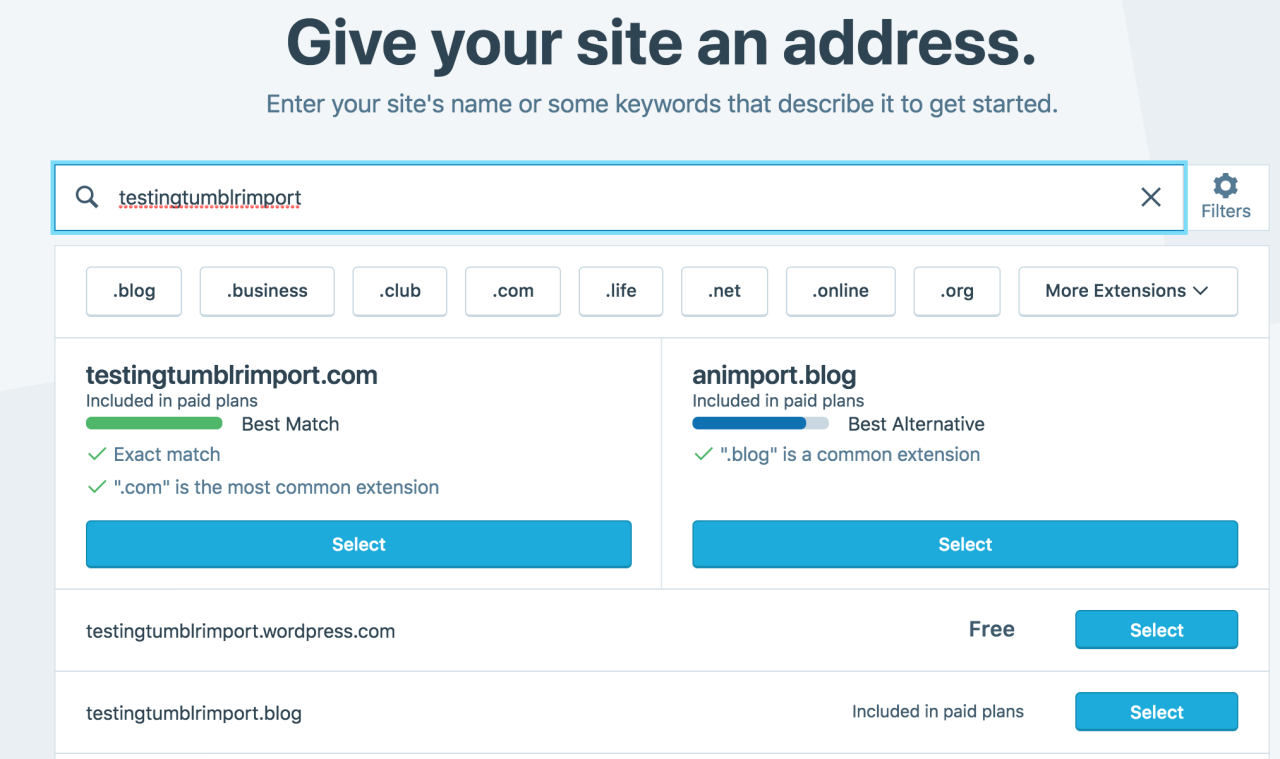
On the site, it will ask you for a site name. That page asks you a bunch of other information too, but you only have to fill out the site name.
Then you have to give your site a URL. If you’re lucky, your tumblr URL is still available, if not you’ll have to come up with another one, sorry.
It will tell you if that option is still available for free.
Then it will ask you to pick a plan. Free is really good enough, I swear.
Now you’re set up! You can import your tumblr!
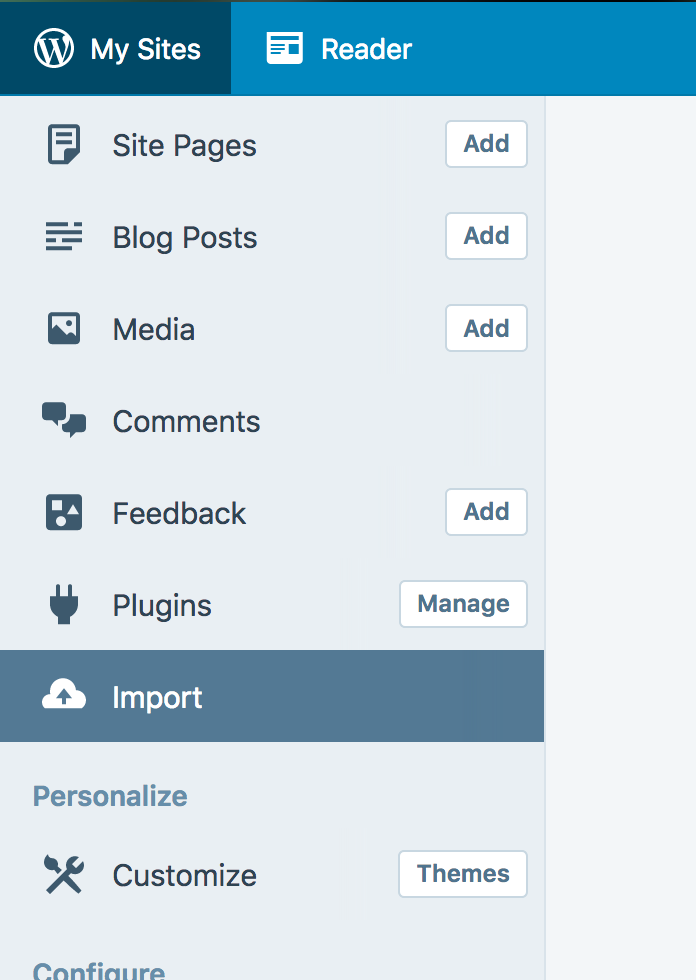
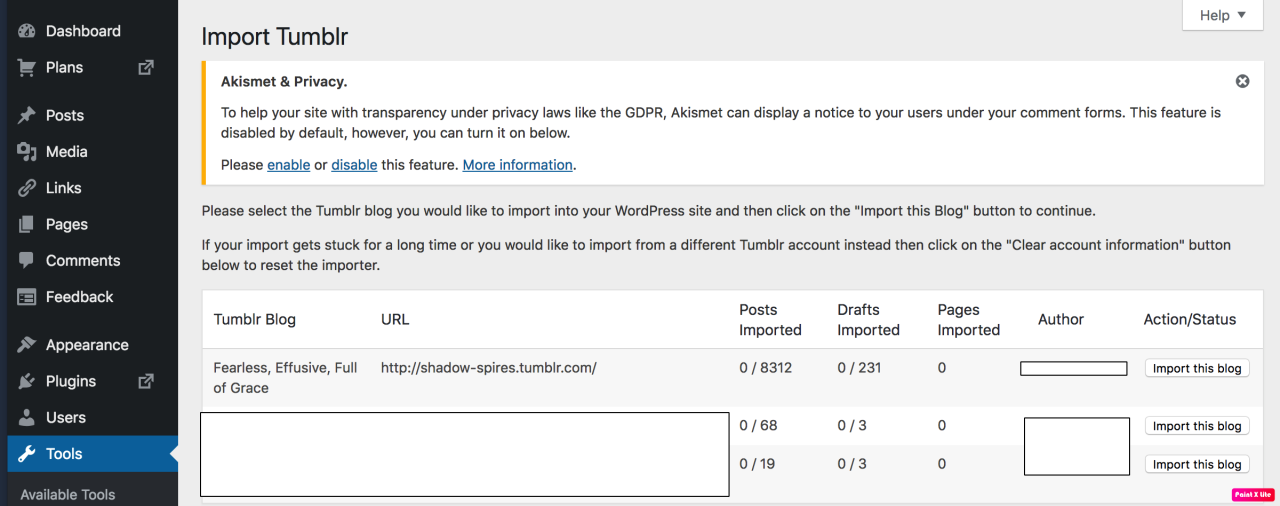
The only differences from the linked tutorial are that the Import button is now on the first level menu, not in tools.
Hit Import, then you have to follow the link for “other importers” at the bottom, to find the option for Tumblr.
Then you’ll have to sign in with tumblr, using your normal tumblr credentials. You’ll be redirected there automatically.
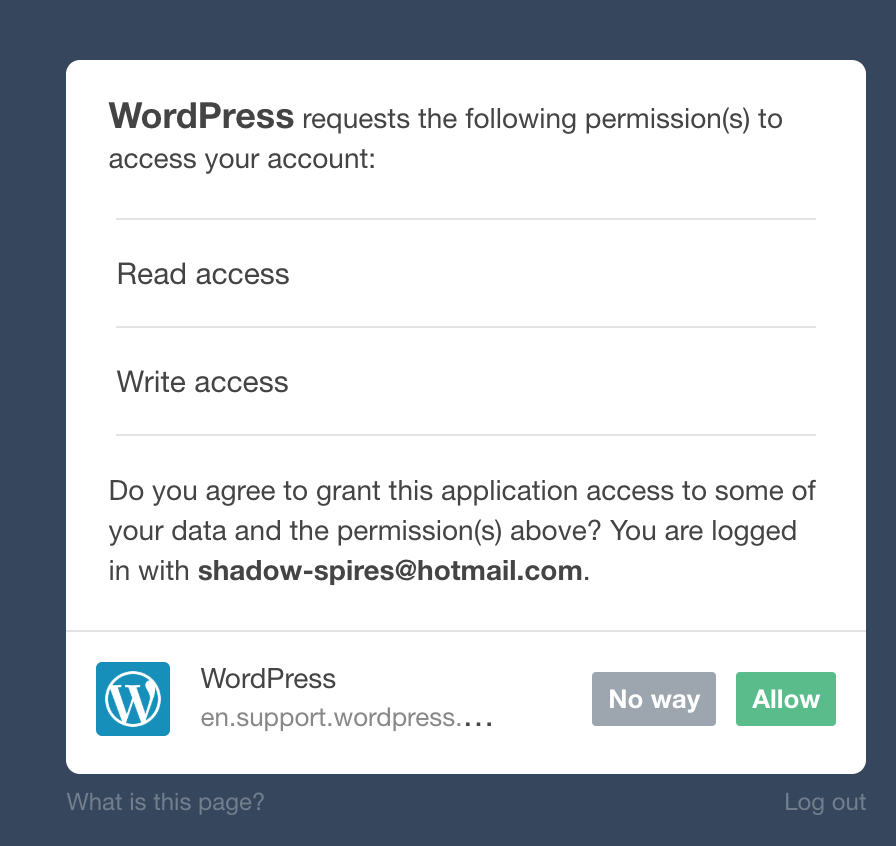
You’ll have to allow WordPress permissions on your blog.
Then your blogs, including all your sideblogs, will show up in wordpress.
Hit import, wait a WHILE depending on the size of your blog, and you’re done!
ALSO!!
I made my NSFW blog private for now, since I don’t know WP’s policy on NSFW.
This means that to access it, someone has to have an account and request access. But hey, part of our problem on this hellsite has been people going places they aren’t wanted, so I don’t personally see this as a bad thing. They can send a request from the landing site on your blog, you get an email, click a link in the email, and PRESTO, they have access.
To make it private, go to Settings > Reading > Site Visibility. Go back and check, it took me changing the setting twice for it to actually stick.
tl;dr, you can import your entire blog to wordpress in just a few steps.
I’m going to tag the hell out of this, in no particular order. PLEASE reblog this and spread the word so people know it’s an option. If you’re having trouble, PM me, and I’m happy to help.
There are a whole bunch more, but that’s a start. Please reblog the hell out of this, so people are aware of this one simple option.
For people asking how to backup thier blog
Honestly I‘m just tagging anyone I can remember blog names for and tagging I know I don‘t know any of y‘all really/you don’t know me by this blog but here spread this
thanks for tagging me, give this a go guys, it works pretty well and its good to have multiple backups (and idk if i trust tumblr’s export function rn)
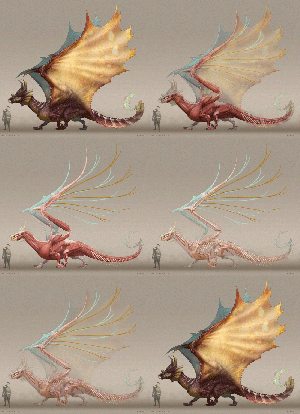
I’ve been wanting to do a quick mockup of dragon anatomy for a long time. I finally had the opportunity to put this together. I wanted to play with some ideas for how a hexapod could reasonably function. Unlike a lot of other artists I placed the wing arms in front of the walking arms. I thought this would allow for better range of motion for the wings, might be a good thing to have for flight haha. I played primarily with archosaur anatomy forms here. Obviously the wing bones are inspired by birds, however they have cartilaginous struts that extend from the metacarpals to create a more classical dragon webbed wing. The shoulder girdle/keel is fused with the scapulocoracoid of the second arm set, so the entire chest is very rigid. As such the secondary arms would have less rand of motion and this guy would run on his hind legs using his wings for balance in order to move faster along the ground and for takeoff. Also notice how much the keratin extends the claws and horns.
Hope you guys dig it and please let me know if you have any questions.
Holy shit @gallusrostromegalus and @drferox I need you both to look at this because this artist is amazing and their stuff is right up your allys
They are a gorgeous set. I also approve of placing the wing joints cranial to the front legs.








 BettSplendens Tumblr Evac